
Mobile banking
Fair Go Casino Google Pay Deposits on Android
Android's built-in wallet makes depositing quick and keeps your card number out of the cashier. Here's the set-up, the steps, the snags, and how winnings get back to you.
 (opens in a new tab)
Deposit with Google Pay from $20
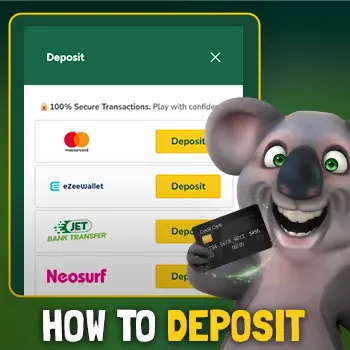
Open Fair Go in Chrome and choose Google Pay in the cashier. New players: 100% up to $200, redeem 5 times, up to $1,000 in total.
New here? Use this code when you deposit: CodeWELCOME
18+ · New players · T&Cs apply · 30x wagering

Fair Go casino Google Pay deposits start at $20. Fair Go's banking page lists Google Pay alongside Apple Pay and the major cards, describes it as free and instant, and was last checked 7 October 2026. On an Android phone, that means a card saved in Google Wallet or your Google account can pay the cashier, and unlocking your phone approves it. Google Pay is a one-way street at Fair Go, though: it's on the deposit list but not the withdrawal list.
What you need for Google Pay on Android
- A card in Google Wallet, or saved to your Google account. Open the Google Wallet app, tap Add to Wallet, then Payment card, and follow your bank's verification step.
- A screen lock. Google Wallet needs a PIN, pattern, password or fingerprint before it will store a card for payments.
- An up-to-date Chrome. Google Pay on websites works most smoothly in Chrome. Other browsers may show the option inconsistently or not at all.
- Google services on the phone. Some newer phones sold without Google's apps can't use Google Pay. A card or voucher is the fallback there.
Samsung owners, note that Samsung Wallet is a separate service. Fair Go's banking page names Google Pay, not Samsung Wallet, so add your card to Google Wallet as well or pay by card. If you browse in Samsung Internet, our Samsung Internet guide explains when it's worth switching to Chrome.
Depositing at Fair Go with Google Pay, step by step
- Open Chrome, type the Fair Go address and log in. Our Android guide shows how to pin Fair Go to your home screen so it opens like an app.
- Tap Cashier and pick Google Pay.
- Enter $20 or more.
- Want a bonus? Add the code the way the promotion explains. New players can use WELCOME.
- Tap the Google Pay button. A Google payment sheet opens over the page.
- If you have more than one Google account on the phone, check the sheet is showing the right one, then pick the card.
- Approve with your fingerprint, face or screen lock. Google may also ask for the card's security code.
- Once the sheet closes, confirm your Fair Go balance has gone up before you play.
Fair Go casino Google Pay: minimums, fees and bonuses
The minimum is $20, the same as Apple Pay, Visa and Mastercard on Fair Go's list. Fair Go doesn't add a fee. Your bank still might: some card issuers charge an international transaction fee when a merchant processes payments overseas, and Fair Go is an offshore casino. Check your first statement and you'll know for next time.
Bonuses work as they do for any deposit method unless a promotion says otherwise. A deposit bonus carries 30x wagering on deposit plus bonus and a $10 maximum bet while you play it through. One promotion is tied to a different method entirely: the Neosurf bonus, 100% bonus, single use, is for Neosurf deposits, so it won't apply to a Google Pay payment.
Google Pay problems and fixes
No Google Pay option?
Open the site in Chrome itself rather than inside a social or chat app, update Chrome, and check you're signed in to a Google account with a card saved.
Wrong cards showing?
The sheet shows the cards for one Google account at a time. Tap the account name at the top of the sheet to switch.
Card declined?
Your bank may block gambling or overseas merchants, or flag the first payment as unusual. If the block is one you chose, keep it. Otherwise your bank app or helpline can explain.
Can't verify?
Google Pay needs your screen lock. If you recently changed or removed it, Google Wallet may ask you to re-verify your cards first.
Charged, but no balance?
Don't pay again. Screenshot the Google Wallet or bank entry and contact Fair Go's live chat. Our live chat on mobile guide explains what to send.
Cashing out after a Google Pay deposit
Winnings can't travel back along the Google Pay route. Fair Go lists Bitcoin and eZeeWallet as free withdrawal methods and a wire transfer with a $50 fee, at $100–$2,500 per transfer. It also says it processes withdrawals within 2 business days, after your account is verified. That last part trips people up, so do it now rather than when a win is waiting: here's how to verify your ID with your phone camera, and here's the full mobile withdrawal guide.
Keeping Google Pay from making gambling too easy
A deposit that takes one fingerprint is a deposit that's easy to repeat. Android gives you a few ways to slow yourself down:
- Digital Wellbeing app timers can cap your daily time in Chrome. When the timer runs out, the app pauses until midnight.
- Stop Chrome filling payment details. In Chrome's settings, under Payment methods, turn off saving and filling, so every deposit takes deliberate effort.
- Your bank's gambling block applies to Google Pay as well, because the card behind it is the one being charged.
Our guide to setting phone gambling limits walks through each of these on Android and iPhone.
Fair Go Google Pay FAQ
Does Fair Go take Google Pay?
Yes. Fair Go's banking page lists Google Pay as a deposit method from $20, free and instant.
Can I withdraw to Google Pay?
No. Withdrawals are listed for Bitcoin, eZeeWallet and wire transfer only. Choose one of those for your winnings before you need it.
Can I use Samsung Wallet at Fair Go?
Fair Go's banking page names Google Pay, not Samsung Wallet. Add your card to Google Wallet as well, or use the card directly in the cashier.
Does my bank charge a fee for Google Pay deposits?
Fair Go lists Google Pay as free, but some card issuers add an international transaction fee for overseas merchants. Your first statement will show whether yours does.
Is Google Pay safer than entering my card details?
It means you're not typing your card into a web page, and approval needs your screen lock. It won't protect you from a fake casino page, so open Fair Go by typing the address yourself.
Android ready
Deposit at Fair Go with Google Pay
Open the cashier in Chrome, choose Google Pay and add code WELCOME for 100% up to $200, redeem 5 times, up to $1,000 in total.
CodeWELCOME
Copy WELCOME & go to Fair Go (opens in a new tab)
On iPhone? Here's our Apple Pay guide.
18+ · New players · T&Cs apply · 30x wagering. Gambling Help Online 1800 858 858.