
Galaxy guide
Fair Go Casino on Samsung Internet: A Galaxy Owner's Guide
Samsung Internet is the default browser on many Galaxy phones, and Fair Go casino on Samsung Internet works well once a few settings are right. Here's how to add the home-screen icon, which features to switch off for the site, and where saved passwords fit in.
 (opens in a new tab)
Fair Go in Samsung Internet
Open Fair Go in Samsung Internet and sign in, or join and claim 100% up to $200, redeem 5 times, up to $1,000 in total.
New here? Use this code when you deposit: CodeWELCOME
18+ · New players · T&Cs apply · 30x wagering
Galaxy phones ship with two browsers, Chrome and Samsung Internet, and plenty of people use Samsung's without realising it, because links from Samsung's own apps open there. Fair Go describes its casino as browser-based on Android with no app required, and it runs in either. Samsung Internet simply has extra features, mostly for privacy and battery life, that can get in a casino site's way if you don't know they're there.
Add Fair Go to your Galaxy home screen
- Open Fair Go by typing fairgocasino.com into the address bar, and check the padlock.
- Tap the menu button (three lines) on the bottom toolbar.
- Tap Add page to, then Home screen.
- Confirm the name and tap Add. The icon opens Fair Go in Samsung Internet.
If the icon doesn't appear, check that Lock Home screen layout is switched off in your home screen settings. More fixes are in our Android home-screen guide.
Fair Go casino on Samsung Internet: settings that matter
Ad-blocking add-ons
Samsung Internet supports ad-blocking add-ons, and they can mistake a game window or the cashier for an ad and hide it. If parts of Fair Go are blank, allow the site in your blocker or switch the add-on off while you play.
Dark mode on web pages
Samsung Internet can push a dark theme onto websites, which may recolour menus or game screens oddly. If Fair Go's colours look wrong, check the browser's dark mode settings.
Secret mode
Secret mode tabs forget everything when you close them, so you'll be logged out every time. Handy on a borrowed phone, frustrating on your own.
Anti-tracking and pop-ups
Smart anti-tracking is fine to leave on. If a payment step or game opens nothing, check whether pop-ups are blocked and allow them for Fair Go only.
Unsafe-site warnings
If the browser warns that a site may be harmful, take it seriously, especially when the page looks like Fair Go but the address is odd.
Pages behaving strangely
Clear Fair Go's stored site data rather than everything; our cache and cookies guide shows how.
Samsung Pass, Google and saved passwords
Galaxy phones can store passwords in Samsung Pass, Google Password Manager or both, which is how people end up with an old Fair Go password filling in automatically. Pick one manager, delete stale Fair Go entries from the other, and let your fingerprint or face unlock it. As with any password manager, a login that won't autofill on a page that looks like Fair Go is a warning: check the address before typing anything. Forgotten it altogether? See forgot password.
Paying from a Galaxy phone
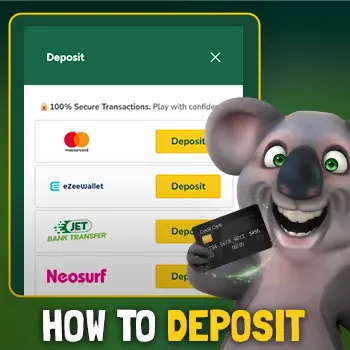
Fair Go's banking page lists Google Pay with a $20 minimum, alongside cards, Neosurf vouchers and crypto (checked 7 October 2026). Samsung Wallet's payment feature isn't on that list, so on a Galaxy, Google Pay is the phone-wallet route. Like Apple Pay, it's for deposits only; withdrawals go by Bitcoin, eZeeWallet or wire transfer. Our Google Pay guide covers setup.
Battery and performance settings on a Galaxy
Samsung's battery tools are thorough, sometimes too thorough for a browser game:
- Power saving can lower the frame rate and dim the screen, which makes pokie animations stutter. Switch it off for longer sessions, or plug in.
- Background usage limits can put browsers to sleep when you switch apps, so the casino reloads when you come back. If that bothers you, take Samsung Internet off the sleeping apps list in Battery settings.
- Screen timeout mid-game can interrupt a session. Lengthen it in Display settings, or tap the screen between spins.
There's a fuller guide to mobile data and battery that applies to any phone.
Samsung Internet or Chrome?
Both work. Chrome syncs with your Google account and can install sites as web apps; Samsung Internet has the bottom toolbar, Secret mode and add-ons. What matters is picking one for Fair Go and sticking with it, so your saved login, cookies and home-screen icon all live in the same place. If you switch, add a new icon from the new browser and delete the old one. Chrome users can follow our Fair Go on Android guide.
Samsung Internet FAQ
Does Fair Go work in Samsung Internet?
Yes. Fair Go says its casino is browser-based on Android, and Samsung Internet handles it well once ad blockers and Secret mode aren't in the way.
How do I add Fair Go to my Galaxy home screen?
In Samsung Internet, tap the menu on the bottom toolbar, then Add page to, then Home screen.
Why are parts of Fair Go blank in Samsung Internet?
Usually an ad-blocking add-on hiding a game or payment window. Allow the site in the blocker or turn the add-on off while you play.
Can I deposit at Fair Go with Samsung Wallet?
It isn't on Fair Go's listed deposit methods. Google Pay is, from $20.
Why does Fair Go log me out every time in Samsung Internet?
You're probably in Secret mode, which clears cookies when tabs close. Use a normal tab on your own phone.
Should I use Chrome or Samsung Internet for Fair Go?
Either works. Choose one so your login and home-screen icon stay in the same browser.
Galaxy ready
Open Fair Go in Samsung Internet
Sign in, or join and claim 100% up to $200, redeem 5 times, up to $1,000 with code WELCOME.
CodeWELCOME
Copy WELCOME & play at Fair Go (opens in a new tab)
Prefer Chrome? See the Android guide.
18+ · New players · T&Cs apply · 30x wagering. Gambling Help Online 1800 858 858.